Shopping cart
$0.00

As a quilting company, we try to make quilting simple, inspiring, and accessible for everyone. With the Design Store and Picture Stitcher, you can explore exclusive patterns, download new designs, and even turn your favorite images into custom quilting templates.
 The Design Store provides access to a curated collection of quilting designs that cater to every style. You can browse, filter, and sort through dozens of patterns, from timeless feathers and hearts to modern shapes.
By subscribing to the monthly plan for $19.95, you receive 10 credits each month that can be used to purchase designs or unlock Picture Stitcher features. The plan is auto-renewable, flexible, and allows you to cancel at any time.
Each design you download is saved in My Designs, your personal library, where you can organize, re-download, or revisit your favorites at any time. Subscribers can also save up to 90% compared to pay-as-you-go purchases.
Explore the Design Store
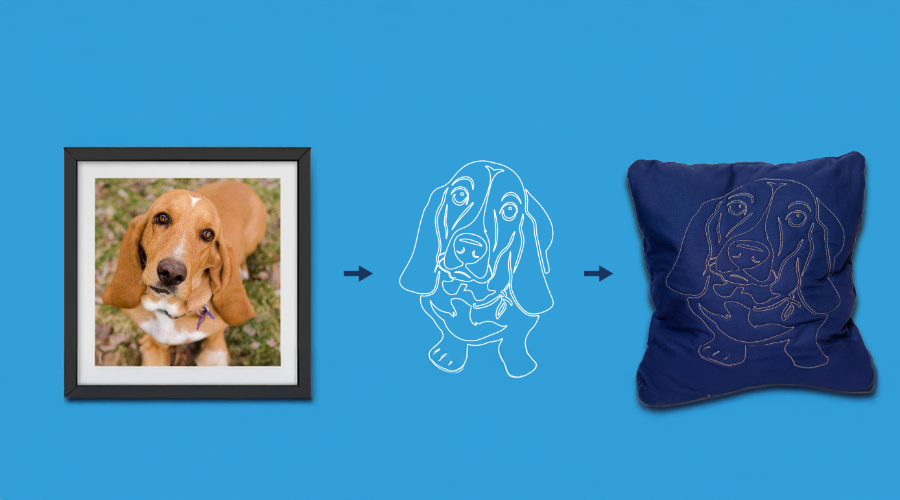
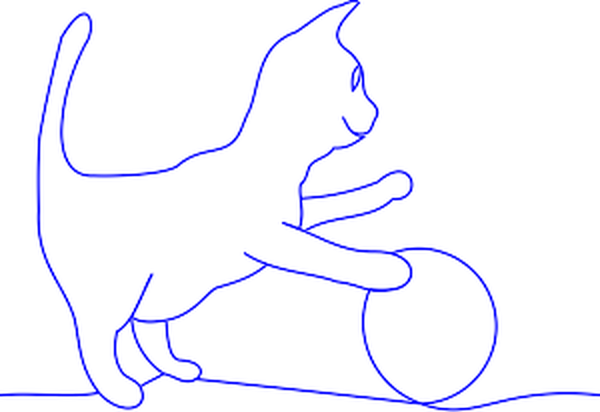
The Picture Stitcher tool gives you the freedom to convert any image into a quilting design. Whether it is a pet portrait, handwritten lettering, or a favorite illustration, you can turn it into a high-quality SVG pattern that is ready for your quilting software.
Your first design is free. Each additional design costs $19.95. Frequent creators can subscribe to unlock premium Picture Stitcher features and receive more value.
Step 1: Upload Your Image
Choose a clear, high-contrast photo or artwork. You can drag and drop your file or select it from your device.
(Maximum file size 12 MB.)
Step 2: Apply the Declutter Filter
This smart tool removes unnecessary visual noise in just a click, helping your pattern stitch cleanly.
Step 3: Join Your Pattern
Connect any open lines and outline the section you want stitched. This ensures your design will stitch continuously.
Step 4: Finalize SVG
Preview your design and adjust thickness or smoothness as needed. When it looks right, select “Generate SVG.”
Step 5. Review Pattern Details
Name your design, choose your pattern size, and save it. You can download it directly or find it again anytime in “My Designs.”
Start creating your first quilting design
Create Your First Design
Both tools are built to simplify your creative process. Whether you’re stitching heirloom pieces or experimenting with modern quilt art, we are here to help you bring every idea to life.
With the Design Store and Picture Stitcher, you can download ready-made patterns or make your own, all within one simple platform.

For over 25 years the Grace Company has been the leading manufacturer of high quality quilting frames and quilting accessories. What truly sets The Grace Company apart from other competitors is its level of quality, value, and experience toward all their endeavours. From products to external and internal customer experience, the Grace Company responds to market and customer needs and continues to lead the quilting industry. Grace Company frames and hoops are designed to be easy to build and compatible with most major quilting machines. They'll have the quilting product you need.